An Otechi product
Ole
A digital loyalty and campaign platform for businesses. Launch your own business page in about 15 minutes — no technical setup required.
Available since February 2026.

What Ole gives you
Businesses create their own digital business page in about 15 minutes with no technical setup, and manage their loyalty program, campaigns, and customer communication from a single dashboard.
Loyalty, campaigns and messaging — one flow
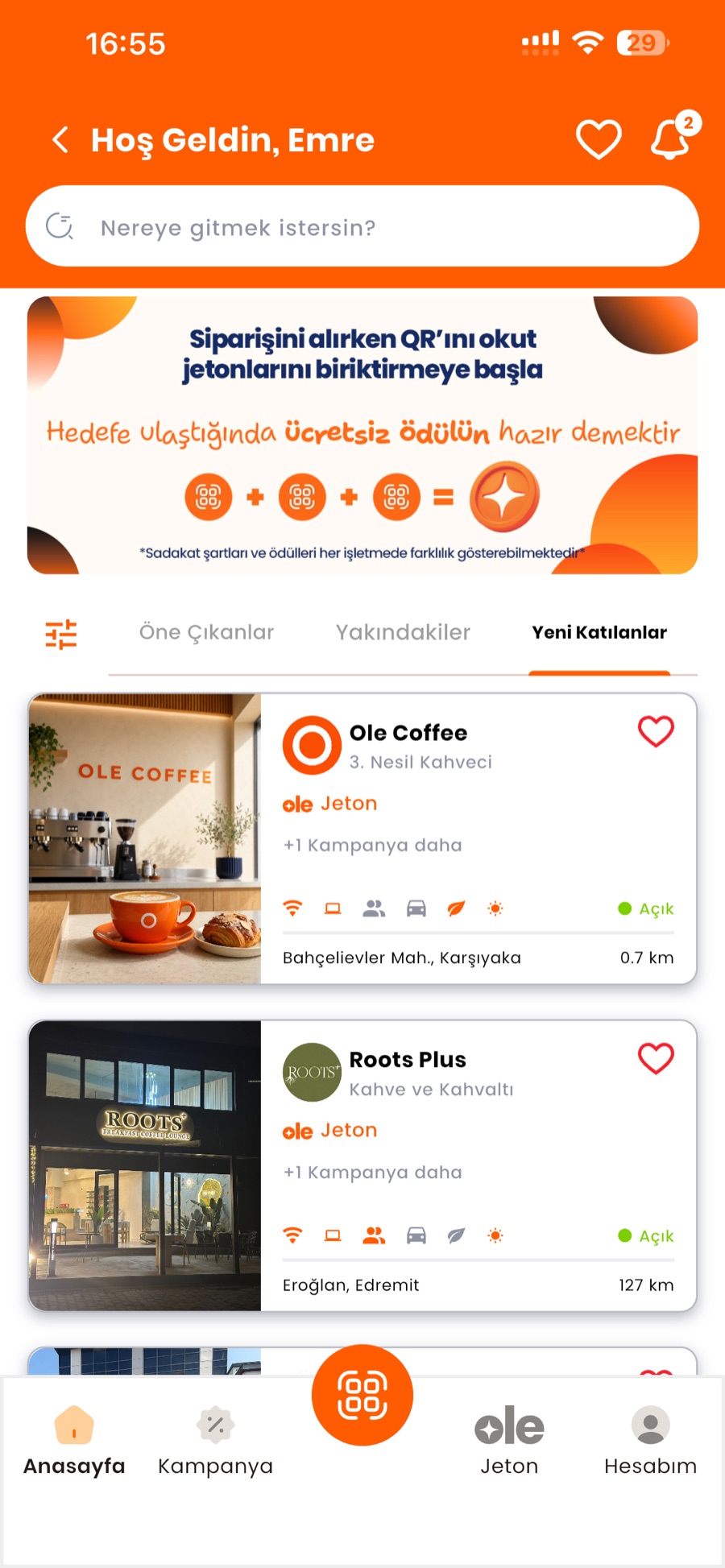
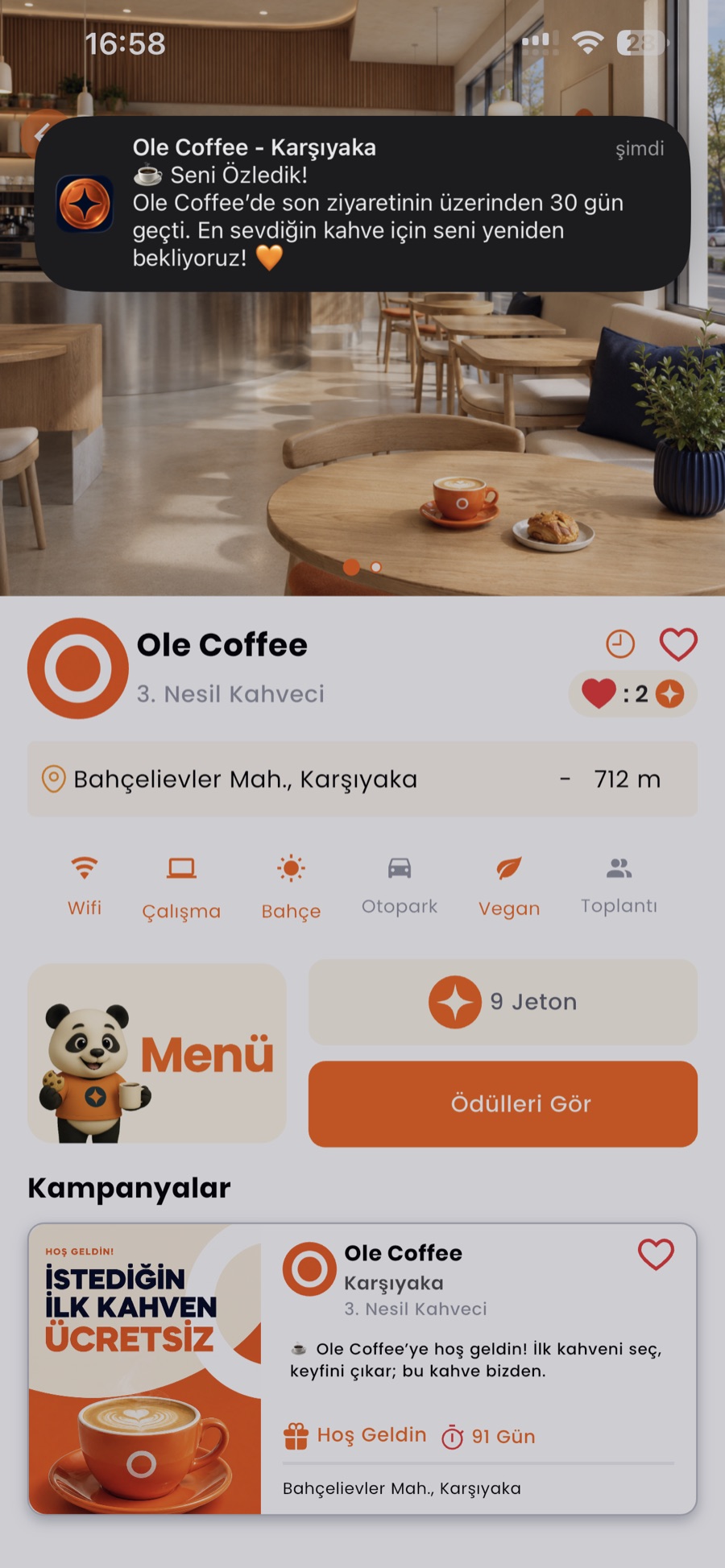
Digital loyalty via QR
A customer scans the business's QR code; tokens and rewards are handled automatically in the app.
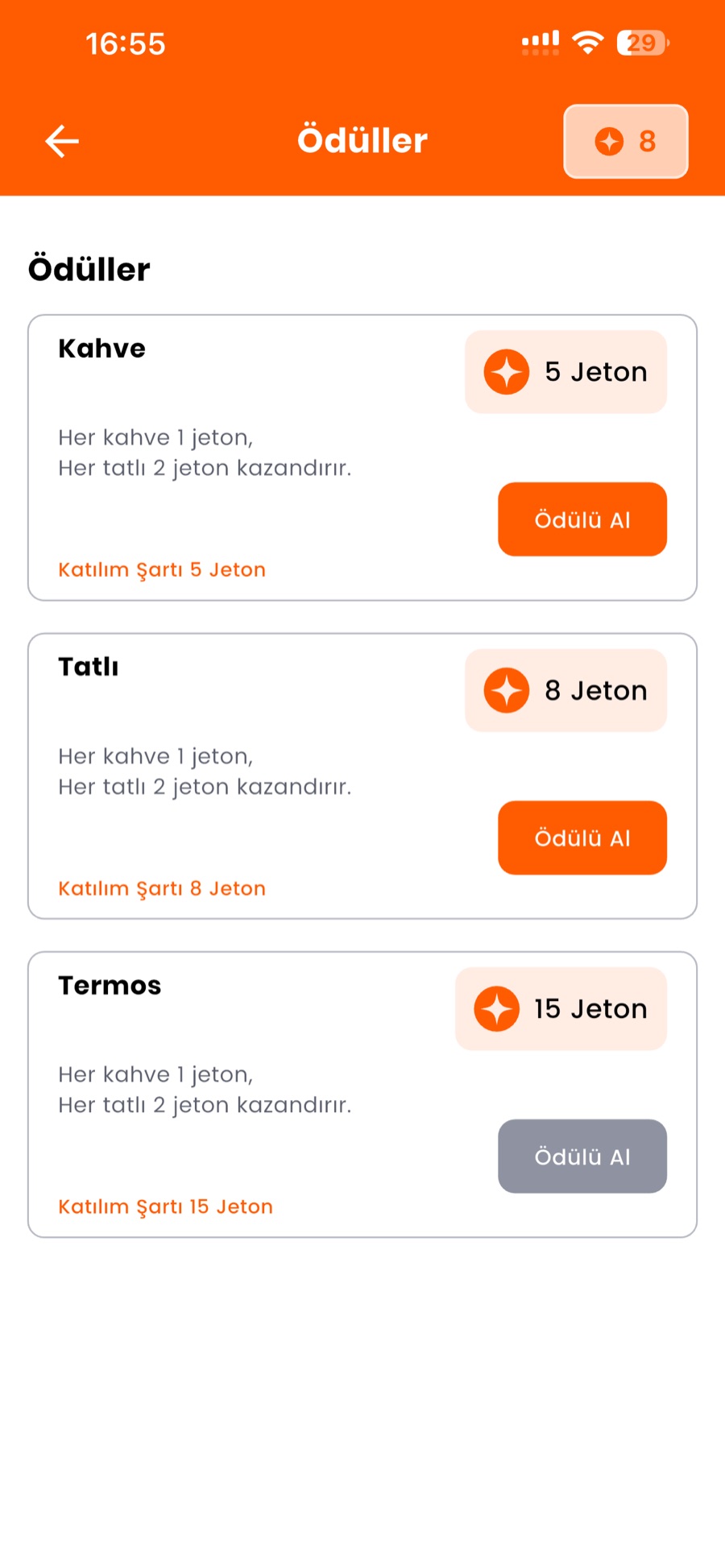
Announce your campaigns
Campaigns and offers appear on the business page in the customer's app.
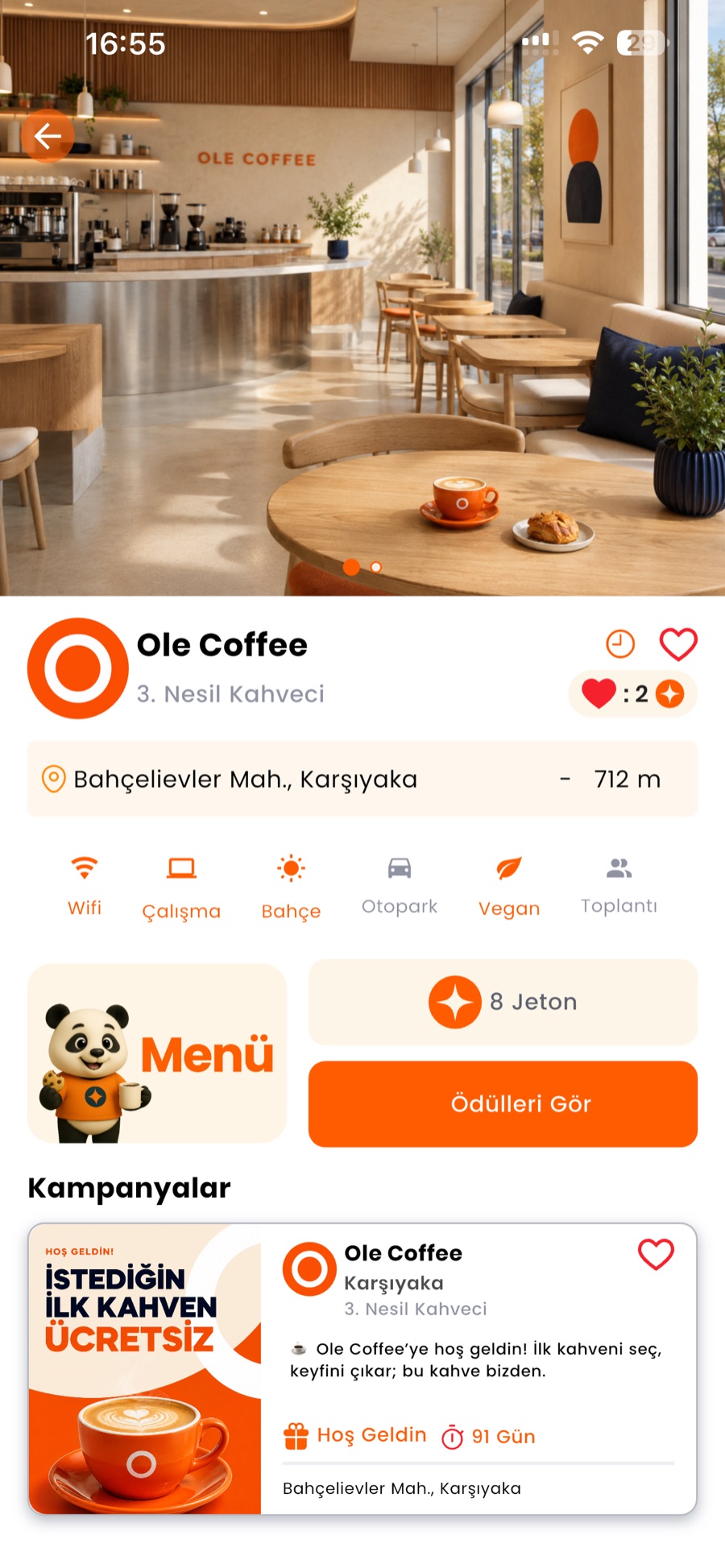
Send customer notifications
Push new campaigns and reminders straight to customers as app notifications.
Manage it all from one panel
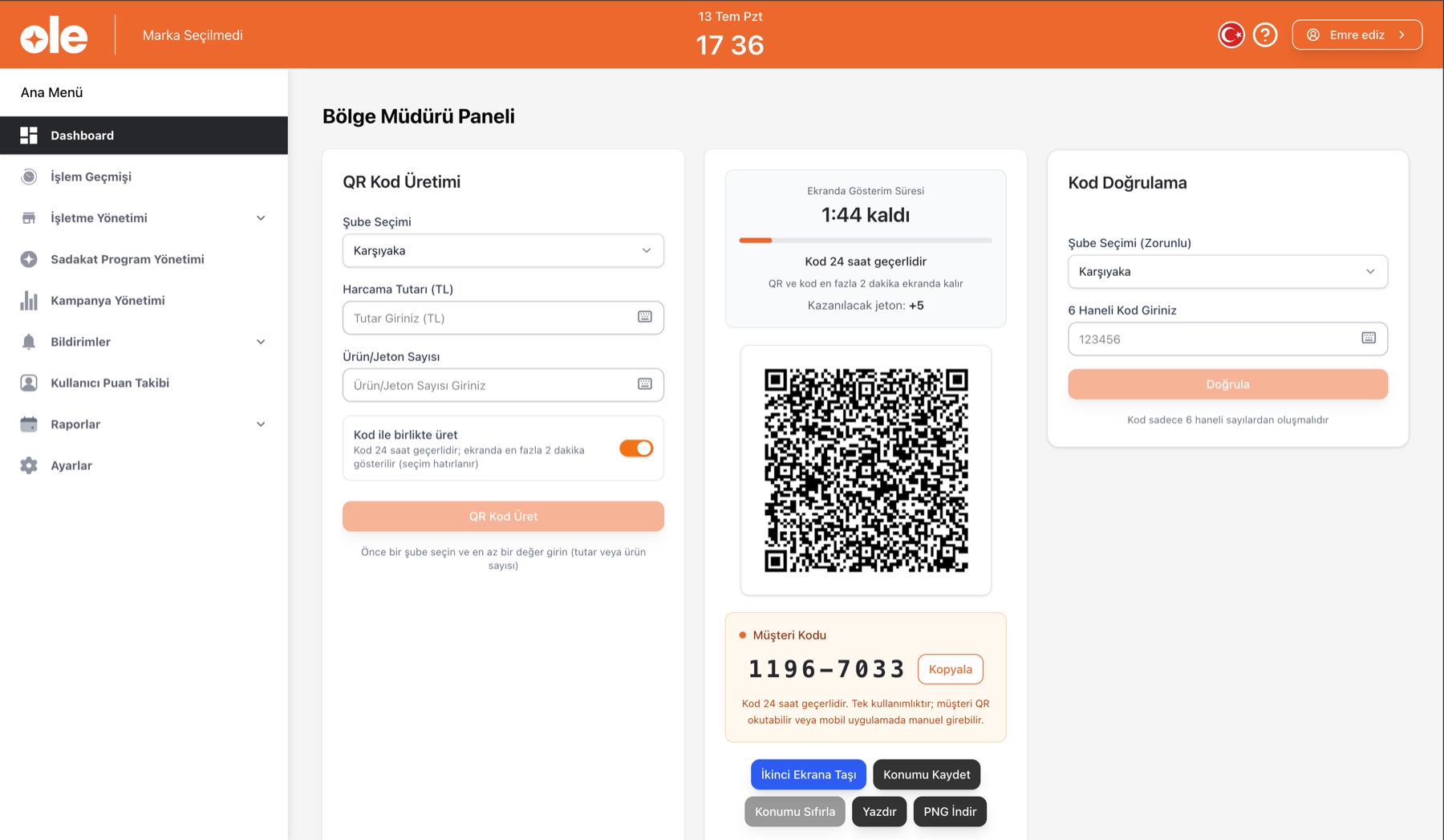
QR generation, loyalty rules, branches and reports live in the web management panel.
Key features
Digital loyalty via QR code
Customers join the loyalty program by scanning a QR code, and cards are tracked digitally.
Points and rewards system
Points on every visit, with rewards unlocked at thresholds you set.
Create and manage campaigns
Build and run discounts and seasonal campaigns from the dashboard.
Send customer notifications
Share campaigns and announcements with customers through the app.
Build a business page
Publish your own digital business page in about 15 minutes.
Multi-branch management
Run every branch from a single account.
Visit and engagement tracking
See visit frequency, return rates, and campaign performance in the dashboard.
How it works
Create your business page
Enter the basics and publish in about 15 minutes.
Define your loyalty rules and campaigns
Set your points and reward thresholds and create campaigns.
Customers join via QR
You use the dashboard; Ole handles visit and reward tracking.
Business management panel
QR code generation, code verification, the loyalty program, campaigns, multiple branches and reports are all managed from one web panel.
Who it's for
- Cafés and restaurants
- Beauty salons
- Hairdressers
- Delicatessens
- Businesses across other sectors
Business model
- Paid subscription for businesses
- Free for customers
- No commission
Platforms
- iOS and Android app (for customers)
- Web-based management dashboard (for businesses)
From the app
Home Loyalty & rewards Notifications Business page
Frequently asked questions
How long does setup take?
A basic business page can be ready in about 15 minutes.
Do I need technical knowledge?
No. Ole runs in the browser — there's no separate infrastructure to set up.
I have multiple branches — is that a problem?
No. Multi-branch management works from a single account.
Do customers pay anything?
No. Customers use Ole for free.
Do you take a commission?
No. There is no commission; businesses pay a subscription.
Documents
- Privacy Policy
- Terms of Use
- Data Protection Notice (KVKK)
- Subscription & Payment Terms
Ole's contracts and legal documents will be available in this area soon.
Another Otechi product
Namaz Motivasyonu
An app for tracking the five daily prayers and staying motivated.
- Five daily prayers tracking
- Reminders
- Progress and motivation